dbdelve: A Rust-based, GPUI-powered database client
Luca Tariciotti 4 min read
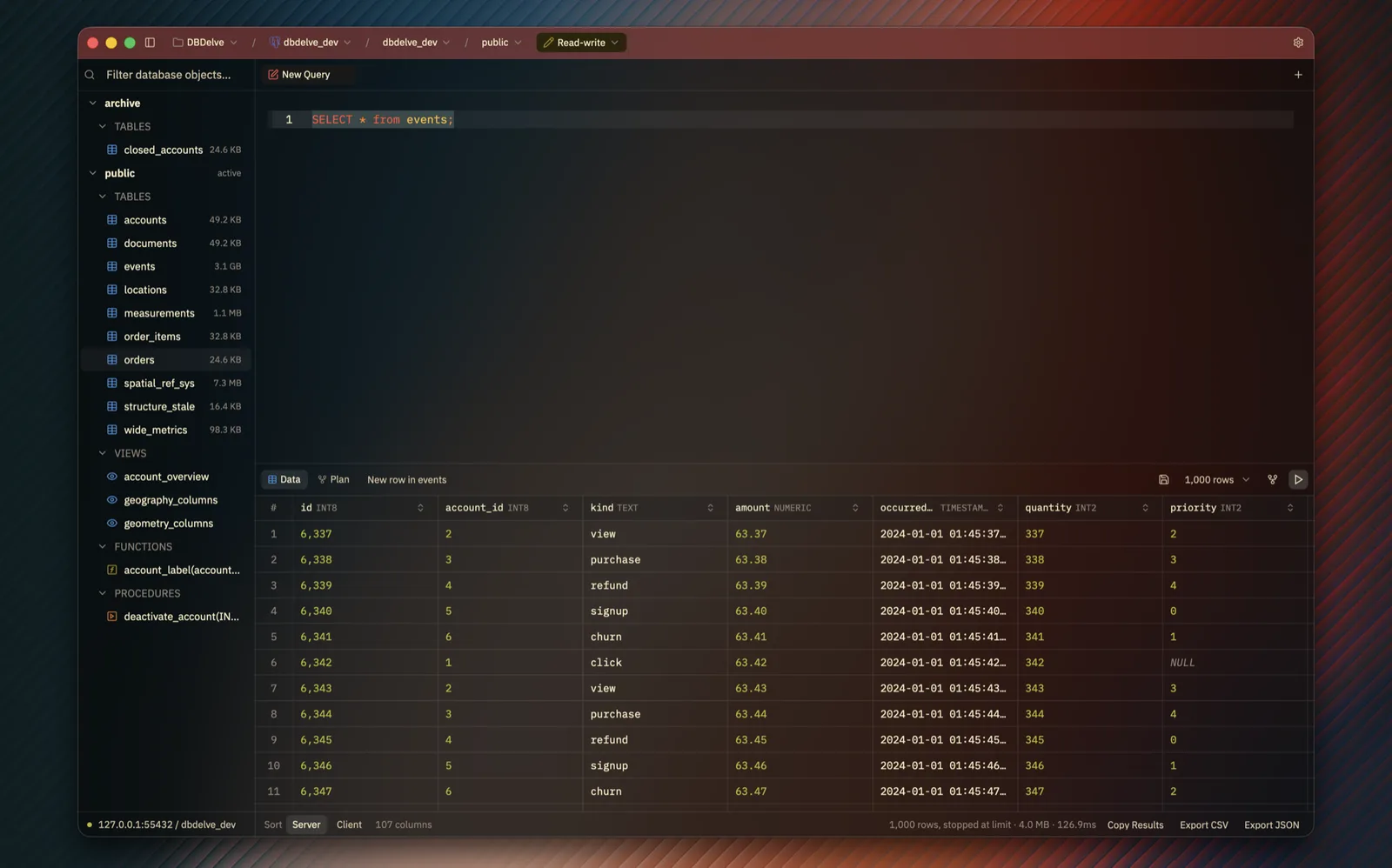
dbdelve offers a performant, cross-platform database client. It eliminates heavy frameworks like Electron and JVM. Ideal for developers seeking speed and efficiency.
If you ever felt sluggish by a data explorer and wondered if there was a lighter alternative, you are not alone. The problem is simple: modern database tools often bundle heavy frameworks like Electron or JVM, which eat up memory and slow down startup. dbdelve solves this by being a fast, native, cross-platform database client written entirely in Rust with GPUI.
This article walks you through what dbdelve does, how it compares to existing tools, how to install it, and how to use it. You will learn about its supported databases, the features that make it stand out, and who it is best for. Whether you are a developer working with Postgres, MySQL, or a small startup using DuckDB, dbdelve is worth your time.
The core idea behind dbdelve is to give you a database client that feels like a tool you can trust. It does not rely on a heavyweight framework, which means less memory consumption and faster application launches. If you are looking for a modern, performant database client, dbdelve is the tool to check.
What It Solves
The original problem dbdelve addresses is the bloat of existing database clients. Many tools are built on Electron, which requires a full desktop environment, or on the Java Virtual Machine, which adds significant overhead. dbdelve eliminates both of these constraints. It is built from the ground up in Rust, a language known for its efficiency, and runs on GPUI, a Rust UI framework that gives you native performance without a virtualization layer.
The motivation behind this approach is clear. The author wanted a client that is performant, modern, and consumes little RAM. Existing clients often come with bloat or require a paid license. dbdelve offers an alternative that is completely free and open source, with no feature gated behind a paywall. Over time, the project aims to achieve feature parity with more established tools.
How It Works
DBDelve is designed to be a single-application database client. It runs natively on Windows, macOS, and Linux, which means you do not need a virtualized environment. The app supports multiple database engines, allowing you to connect to Postgres, MySQL, MariaDB, SQLite, Turso, DuckDB, Snowflake, SQL Server, MongoDB, Redis, and ClickHouse.
The user experience is centered around a customizable interface. You can import saved connections from DBeaver or TablePlus on macOS. Each connection is isolated, and you can color the title bar to indicate whether you are running in read-only, read-write, or full-access mode. This isolation is a key safety feature, especially for environments where you want to avoid accidental changes.
Installing and Using dbdelve
Installing dbdelve is straightforward. The project is open source on GitHub, and the installation process involves downloading the appropriate binary for your platform. Once installed, you can launch the app and connect to your database of choice.
To get started, open your terminal and run the installation command. After installation, you can connect to a database by entering a connection URL. dbdelve also supports importing themes from Zed or VS Code, or you can write your own. The application comes with several built-in themes, including Catppuccin, Tokyo Night, Gruvbox, and Dracula, each available in dark, light, and glass modes.
Who Is dbdelve For?
DBDelve is aimed at developers and power users who want a database client that is fast, lightweight, and feature-rich. It is particularly useful for those working with large tables, where other clients might crash or hit memory limits. The project also appeals to small startups and data engineers who need a free, open-source alternative to more expensive tools.
The features that make dbdelve stand out include inline editing, which allows you to change a cell and see the UPDATE statement before it runs. You can also hide or pin columns, and the layout survives a restart. dbdelve also offers a row panel that displays JSON highlighted, making it easier to inspect long values.
FAQ
How does dbdelve compare to DBeaver?
DBDelve is faster to launch and uses less memory than DBeaver. Benchmarks show a 1.1-second startup time for dbdelve versus 5.2 seconds for DBeaver, and dbdelve uses around 133 MB of memory compared to 606 MB.
Can I import my SSH settings?
Yes. dbdelve supports your own SSH configuration, so your config, agent, and hardware keys work seamlessly.
Is dbdelve free and open source?
Yes. The project is free and open source, with no paywall and no telemetry (except for an optional update check).
What databases does dbdelve support?
DBDelve supports Postgres, MySQL, MariaDB, SQLite, Turso, DuckDB, Snowflake, SQL Server, MongoDB, Redis (and Valkey, KeyDB, Dragonfly), and ClickHouse.
Conclusion
DBDelve represents a significant step toward lightweight, performant database clients. By eliminating the bloat of Electron and JVM, it gives developers a modern tool that runs natively and consumes less memory. If you are looking for a fast, open-source database client, dbdelve is the right choice. Keep an eye on the project as more engines are added and feature parity continues to grow.